TL;DR
- AI automation uses artificial intelligence — machine learning, NLP, and computer vision — to perform tasks that previously required human judgment.
- It's faster and more flexible than traditional rule-based automation and handles variability that breaks RPA.
- Five major types cover NLP, intelligent process automation, ML-driven decisions, computer vision, and generative AI.
- Delivers the most value when deployed on high-volume, repetitive workflows with clear inputs and measurable outputs.
- Implementation starts with auditing your processes, choosing the right AI layer, and running a focused pilot before scaling.
According to McKinsey Global Institute's Future of Work research, by 2030 up to 30% of work hours globally could be automated using technologies available today — yet most businesses are still unclear on what AI automation actually means, or where to start. If you've heard the term but want a straight, practical explanation of what it is, how it works, and what it can do for your organization, you're in the right place. This guide covers everything: definitions, mechanics, real-world types, implementation steps, and the mistakes that slow most teams down.
What Is AI Automation?
AI automation is the use of artificial intelligence technologies to perform tasks, workflows, and decisions that previously required human cognitive effort. Unlike basic rule-based automation — which follows fixed "if this, then that" logic — AI automation can learn from data, recognize patterns, understand language, and adapt its behavior over time.
A simple working definition: AI automation is a system that uses machine learning, natural language processing, or computer vision to execute tasks intelligently, without step-by-step human instruction.
According to McKinsey Global Institute, approximately 45% of the activities workers are paid to do could theoretically be automated using existing AI and robotics technology. The shift isn't about replacing workers wholesale — it's about removing the repetitive, low-judgment work so people can focus on higher-value decisions.
How AI Automation Works: A Step-by-Step Process Explained
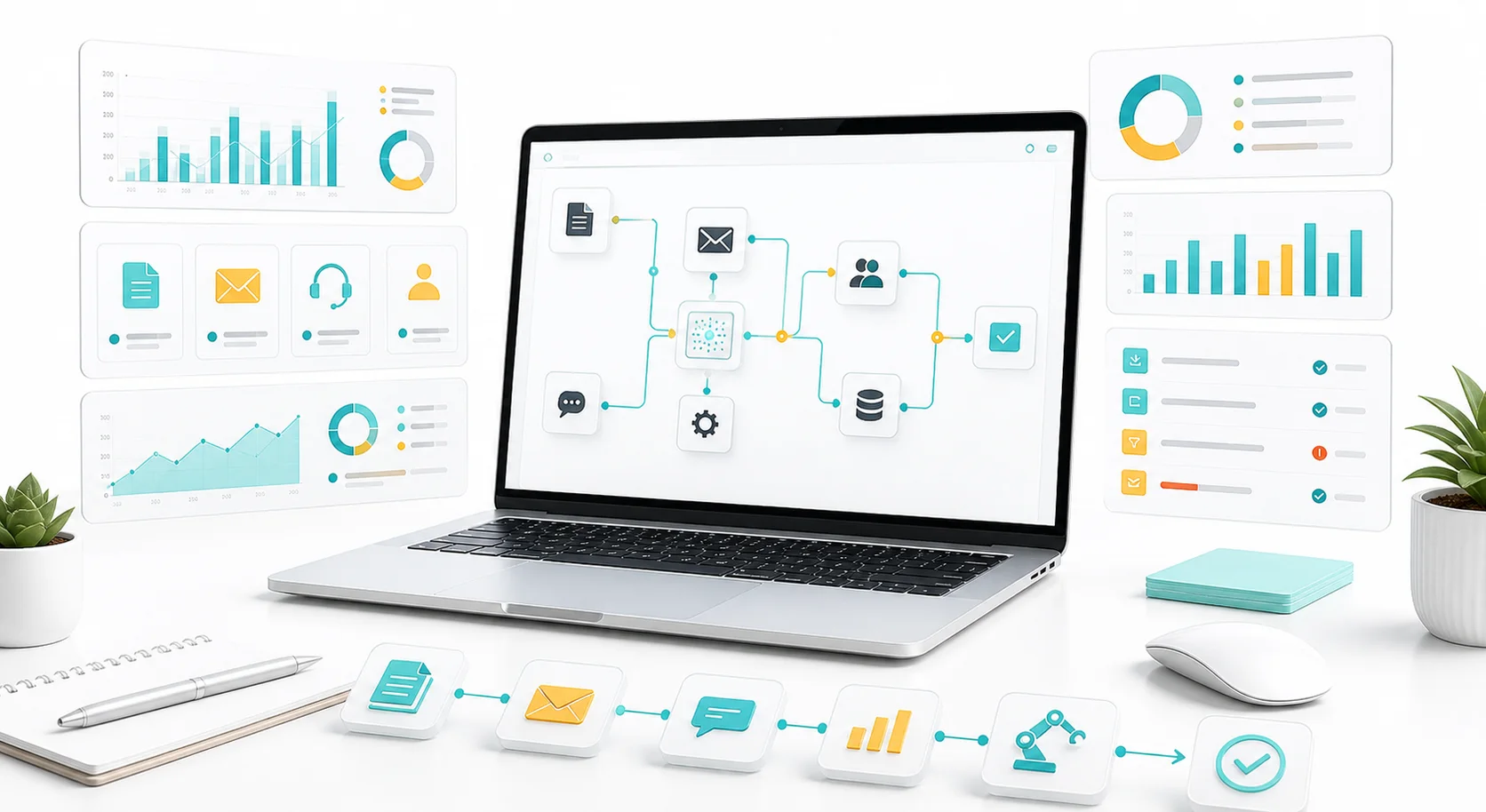
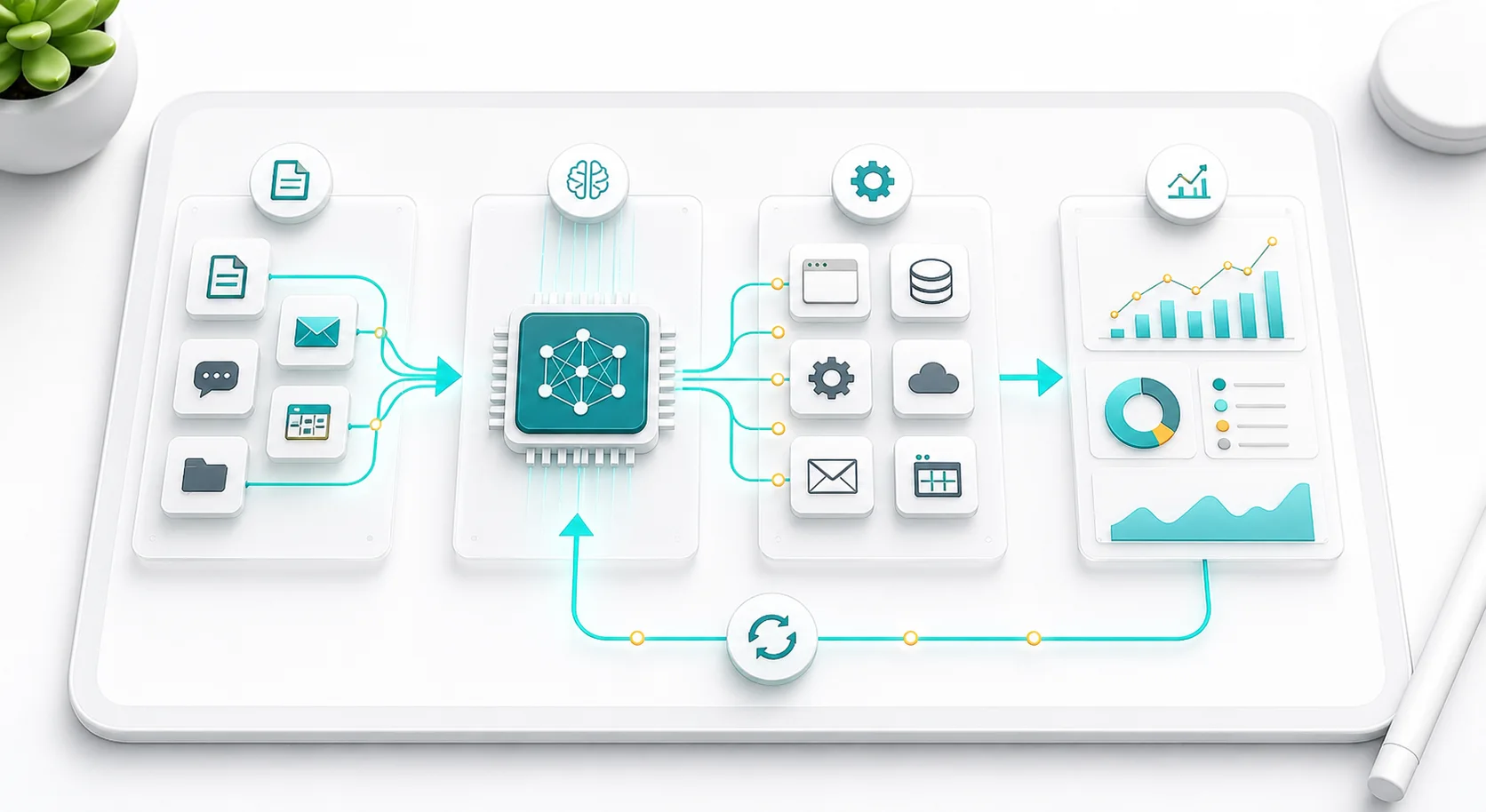
AI automation operates through a combination of data, models, and triggers. Here's the core mechanism:
- Data Input — The system receives input: a document, an email, a sensor reading, a customer query, or a dataset.
- AI Processing — A trained model (machine learning algorithm, LLM, or computer vision system) interprets the input and determines the appropriate action.
- Automated Execution — The system carries out the action: categorizes data, drafts a response, routes a ticket, flags an anomaly, or updates a record — without a human initiating it.
- Learning Loop — Feedback is fed back into the model, improving accuracy and performance over time.
This distinguishes AI automation from traditional Robotic Process Automation (RPA). RPA follows rigid scripts; if the format changes, it breaks. AI automation handles variability — it can read a scanned invoice even if the layout differs, or answer a support query even if the phrasing is unusual.
"The real power of AI automation isn't speed — it's the ability to handle exceptions that would stall traditional automation entirely." — Tom Davenport, Author of The AI Advantage and Professor at Babson College
AI Automation vs RPA vs Traditional Automation
Not all automation is equal. Here's how the three main approaches compare across the criteria that matter most to business decisions:
| Feature | Traditional Automation | RPA (Robotic Process Automation) | AI Automation |
|---|---|---|---|
| Handles unstructured data | No | No | Yes |
| Learns and improves over time | No | No | Yes |
| Breaks when format changes | Yes | Yes | No |
| Requires coding | Yes | Low-code | Low-code / No-code |
| Best for | Fixed scripts, macros | Rule-based digital tasks | Variable, cognitive tasks |
| Example tools | Shell scripts, Excel macros | UiPath, Power Automate | Zapier AI, Claude, GPT-4 |
| Cost to scale | Low | Medium | Medium-High |
| Error handling | Fails on exceptions | Fails on layout changes | Adapts to variations |
The key distinction: Traditional automation and RPA follow instructions. AI automation understands context. That single difference determines which problems each can solve.
5 Types of AI Automation Every Business Should Know
1. Natural Language Processing (NLP) Automation
Uses AI to read, understand, and generate human language. Common applications:
- Customer service chatbots and virtual assistants
- Automated email triage and response drafting
- Contract review and document summarization
- Content generation at scale
2. Intelligent Process Automation (IPA)
Combines traditional RPA with AI capabilities — machine learning, NLP, and computer vision — so workflows can handle unstructured data and edge cases. A finance team might use IPA to process invoices regardless of format, flag discrepancies, and update the ERP system, all without human intervention.
3. Machine Learning–Driven Decision Automation
Trains models on historical data to make predictions or classifications automatically. Examples:
- Credit risk scoring
- Fraud detection in real time
- Predictive maintenance in manufacturing
- Churn prediction in SaaS
4. Computer Vision Automation
Enables systems to interpret images and video. Used in:
- Quality control on production lines
- Retail inventory management via camera feeds
- Medical imaging analysis
5. Generative AI Automation
Large language models (LLMs) like GPT-4 and Claude generate text, code, and structured data on demand. Businesses use them to automate first-draft creation, knowledge base updates, internal documentation, and code generation.
According to Gartner, by 2026, organizations that operationalize AI transparency and trust will see a 50% improvement in AI adoption, project outcomes, and business objectives. Getting the type right for your use case is what makes that adoption stick.
Best AI Automation Tools in 2026 (Free and Paid)
Choosing the right tool depends on your use case, technical resources, and budget. Here are the leading platforms across each category:
AI Workflow Automation Tools
- Zapier — Connects apps and automates multi-step workflows without code; now includes AI actions powered by OpenAI.
- Make (formerly Integromat) — Visual workflow builder for complex, conditional automation across hundreds of apps.
- n8n — Open-source workflow automation with self-hosting option; strong for technical teams.
AI-Powered RPA Tools
- UiPath — Enterprise-grade RPA platform with built-in AI models for document processing and computer vision.
- Automation Anywhere — Cloud-native RPA with an AI co-pilot for building and managing bots.
- Microsoft Power Automate — Deep integration with Microsoft 365 and Azure AI services; strong for businesses already in the Microsoft ecosystem.
Generative AI Automation Tools: GPT-4, Claude, and Gemini
- OpenAI API (GPT-4) — Powers text generation, summarization, classification, and code automation at scale.
- Anthropic Claude — Excels at long-document analysis, structured reasoning, and safe AI workflows.
- Google Gemini — Integrated into Google Workspace for automating writing, data analysis, and search tasks.
AI Customer Service Automation Tools
- Intercom — AI-first customer messaging with a built-in resolution bot (Fin) powered by GPT-4.
- Zendesk AI — Ticket triage, suggested responses, and sentiment detection built into the support workflow.
- Tidio — Affordable AI chatbot for small and mid-sized businesses.
AI Data Analytics and Reporting Automation Platforms
- Dataiku — End-to-end AI and ML platform for automating data pipelines and model deployment.
- Obviously AI — No-code machine learning for predictions and automated reporting.
- Tableau + Salesforce Einstein — AI-driven analytics automation inside business intelligence workflows.
Most businesses start with a no-code tool like Zapier or Make to prove automation ROI, then layer in more specialized AI platforms as use cases become clearer.
How to Implement AI Automation in Your Business (Step-by-Step)
Step 1: Identify Business Processes to Automate with AI
Map your current workflows and identify tasks that are: high-volume, rule-following, data-dependent, or time-sensitive. Good candidates have clear inputs and measurable outputs. Poor candidates involve nuanced human judgment, ethical decisions, or highly unpredictable variables.
Step 2: Prioritize High-Impact AI Automation Opportunities
Score candidates on two axes — time saved (or error reduced) vs. complexity to automate. Start with high-impact, lower-complexity wins: email routing, data entry validation, report generation. These build confidence and create budget for more ambitious projects.
Step 3: Choose the Right AI Automation Software for Your Use Case
Don't overbuild. Match the technology to the task:
- Repetitive, structured tasks → RPA or rule-based automation
- Unstructured data (text, images) → NLP or computer vision
- Prediction and classification → machine learning models
- Content or knowledge generation → generative AI / LLMs
Step 4: Prepare Your Data for AI Automation
AI models are only as good as the data they train on. Before deploying automation, audit your data for completeness, consistency, and labeling quality. Garbage in, garbage out applies doubly to AI systems.
Step 5: Deploy Your AI Automation and Measure ROI
Launch with a pilot scope — one team, one workflow. Measure against a baseline: manual time, error rate, cost per task. Establish a review cadence. Expand when the pilot proves ROI.
Advanced AI Automation Strategies to Scale Your Business Faster
Most teams stop at process-level automation: they automate one task and call it done. The compounding advantage comes from orchestrating multiple AI systems into a connected workflow — sometimes called an "agentic" architecture.
Example — a marketing team might connect:
- An AI that monitors brand mentions (NLP)
- A sentiment classifier that flags negative signals (ML)
- An LLM that drafts a response for human review (generative AI)
- A CRM automation that logs the interaction (RPA)
Each step alone saves minutes. Orchestrated together, it eliminates an entire daily workflow without any human involvement until final approval.
A second underused strategy: human-in-the-loop design. Rather than fully removing humans, the best AI automation systems surface the right task to the right human at the right moment. AI handles the 80% it's confident about; humans handle the 20% that requires judgment. This hybrid model consistently outperforms full automation in quality and error rate, especially in customer-facing contexts.
A third: feedback loop engineering. Most teams deploy AI automation and never improve it. Building structured feedback channels — where human reviewers correct outputs and those corrections retrain the model — compounds accuracy over time. According to the IBM Institute for Business Value, organizations that build continuous feedback loops into their AI systems report measurable accuracy improvements within the first 90 days — making feedback engineering one of the highest-ROI investments in any automation program.
Common AI Automation Mistakes to Avoid
1. Automating a broken process
If a workflow is inefficient before automation, it will be inefficient faster after. Redesign the process first; then automate the optimized version.
2. Underestimating data requirements
Many AI automation projects stall because the training data is insufficient, biased, or not labeled. Data readiness is not a nice-to-have — it's a prerequisite.
3. No change management plan
The technology is rarely the hard part. Teams that skip communication and training find that employees route around the new system. AI automation requires organizational adoption, not just technical deployment.
4. Over-automating customer touchpoints
Automating routine queries saves cost. Automating complaint resolution without human escalation paths damages trust. Map where automation helps the customer experience versus where it creates friction.
5. Treating deployment as the finish line
AI models drift. Data distributions change, business rules evolve, and model accuracy degrades without monitoring. Build in regular model performance reviews from day one.
Key Takeaways
- AI automation uses intelligent models (ML, NLP, computer vision, LLMs) to perform tasks without step-by-step human instruction.
- It differs from traditional automation by handling unstructured data, variability, and edge cases.
- The five major types are: NLP automation, intelligent process automation, ML decision automation, computer vision, and generative AI.
- Successful implementation starts with process auditing, clean data, and a focused pilot.
- Advanced teams orchestrate multiple AI systems and build continuous feedback loops.
- The biggest mistakes are automating broken processes, skipping change management, and treating deployment as the finish line.
- Next step: Identify one high-volume, repetitive task in your business today — one where the input is predictable and the output is measurable. That's your AI automation pilot candidate.
Frequently Asked Questions
What is the difference between AI automation and traditional automation?
Traditional automation follows fixed rules — if a specific condition is met, a specific action runs. AI automation uses machine learning and other AI techniques to interpret variable inputs, make judgment-based decisions, and improve accuracy over time without being explicitly reprogrammed.
Can small businesses use AI automation?
AI automation is not limited to enterprise use. Small and mid-sized businesses use tools like AI chatbots, automated email workflows, and generative AI writing assistants daily. Cloud-based AI platforms have reduced implementation costs significantly, making it accessible at almost any scale.
Which jobs will be replaced by AI automation?
Roles with high proportions of repetitive, data-processing, or rule-following tasks are most affected — data entry, basic customer support, invoice processing, scheduling, and report generation. Roles requiring creative judgment, emotional intelligence, or complex problem-solving are less susceptible in the near term.
How long does it take to implement AI automation?
A focused pilot — automating a single, well-defined workflow — can be operational in four to eight weeks. Enterprise-scale deployments with custom model training and system integration typically take three to twelve months, depending on data readiness and organizational complexity.
What is an AI automation agent and how does it work?
An AI automation agent is a software system that uses an AI model to plan and execute multi-step tasks autonomously. Unlike single-task automation, an agent can break down a goal, call different tools, and iterate on its approach — making it suited for complex, variable workflows that go beyond simple rule execution.
What are the main benefits of AI automation for businesses?
The main benefits of AI automation include reduced operational costs, faster task completion, lower error rates, and the ability to scale without proportional headcount increases. According to Deloitte's Global RPA Survey, 92% of organizations that adopted intelligent automation reported improved compliance, and 90% reported better quality and accuracy across automated processes.
Is AI automation safe, and what are the risks?
AI automation is generally safe when implemented with proper oversight, but it carries real risks: model bias from poor training data, over-automation of customer touchpoints that damages trust, data privacy exposure, and model drift over time. The safest implementations combine AI decision-making with human review at critical checkpoints — known as human-in-the-loop design.
How much does AI automation cost?
The cost of AI automation ranges widely. No-code tools like Zapier start at $20–$50/month for small teams. Mid-market platforms like Make or Power Automate run $100–$500/month. Enterprise RPA platforms (UiPath, Automation Anywhere) typically cost $15,000–$100,000+ annually. Custom AI model development adds significant cost but delivers competitive differentiation that off-the-shelf tools cannot match.